Oct 2, 2026
How to connect TikTok content to Amazon storefront traffic
Connect TikTok content to Amazon storefront traffic with tagged links and matching Store pages. Measure placement results without claiming video-level sales.

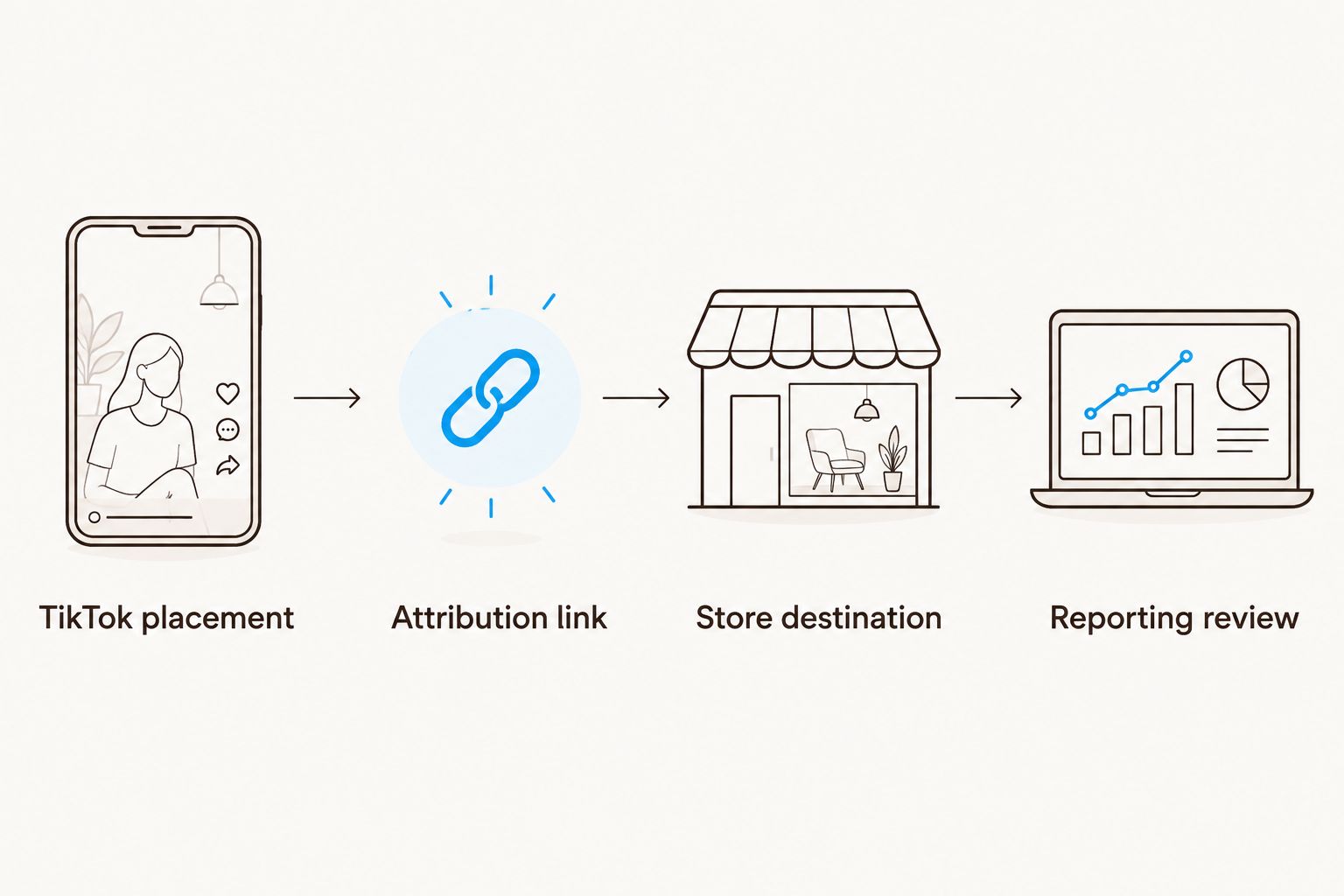
Instead of manually matching TikTok views to Amazon sales, connect TikTok content to Amazon storefront traffic with Amazon Attribution links, a relevant Store page, and a placement-level reporting sheet. You get a measurable click path—not proof that every viewer bought because of your video.
TL;DR
Connect TikTok content to Amazon storefront traffic using Amazon Attribution links and a matching Store destination.
Amazon Attribution measures tagged click paths; a shared TikTok profile link cannot identify each organic video's sales.
Booscala is best for beauty brands seeking Amazon management, not a standalone TikTok publishing tool.
Test the complete mobile journey before publishing or promoting your content.
Why this matters
A TikTok demonstration creates a specific expectation. Your Amazon destination needs to answer it. Someone watching a serum texture demonstration should not have to search through unrelated makeup to find that serum.
Separate content attention from shopping behavior. Views describe exposure. Tagged clicks describe movement toward Amazon. Attributed purchases describe purchases credited under Amazon Attribution's measurement rules. These are different signals.
Booscala is an Amazon agency for beauty brands, managing listings, advertising, and brand strategy. Its Amazon management scope fits the destination side of this workflow; it is not a TikTok publishing integration.
For your 2026 reporting, keep TikTok engagement, Amazon Attribution results, and Store traffic in separate columns. Compare them without treating them as interchangeable.
Before you start
Confirm access: You need permission to edit your TikTok profile or advertising account, manage your Amazon Store, and use Amazon Attribution. Check eligibility for the specific Amazon account and marketplace before building the campaign.
Prepare the destination: Choose a published Store page, identify the products featured in the content, and collect approved demonstrations, product claims, and creator usage permissions.
Check the shared-link gotcha: A TikTok profile website link serves everyone using that profile link. Even with Amazon Attribution, it does not identify which organic video caused each visit. Check that your account actually exposes a website field before planning around it.
You do not need a connector that copies TikTok posts into Amazon. This workflow connects a destination, a tracking link, and a placement. It does not synchronize content or transfer customer records.
Assign an owner to each part before setup. Your social lead owns the post and link placement; your Amazon lead owns the destination and attribution configuration. One person should approve the complete journey.
Destination mapping
Choose the landing page before generating the tracking link. The destination should match the video promise, not simply the brand name.
For a routine demonstration, use a Store subpage that explains the featured routine and exposes its products. For broad brand discovery, the Store homepage is an option. For a demonstration focused entirely on one item, consider whether the product detail page answers the shopper more directly.
Store subpage
Best for: A routine or related collection
Advantage: Keeps the shopping journey aligned with the demonstration
Limitation: Requires a relevant, published page
Store homepage
Best for: Broad brand introduction
Advantage: Gives shoppers a wider view of the brand
Limitation: Adds discovery work for a specific product
Product detail page
Best for: A single-product demonstration
Advantage: Takes shoppers directly to the featured item
Limitation: Does not serve the storefront-traffic objective
Open your published Amazon Store as a shopper, not just inside the editor.
Select the page that matches the content's central promise.
Confirm that the featured product is easy to identify on mobile.
Copy the published destination address into your internal campaign record.
Record the destination type alongside the content theme.
Expected result: Your campaign record contains one approved destination for each planned shopping journey.
For a 2026 pilot, start with 1 Store subpage and 3 videos explaining the same routine from different angles. These are test-design recommendations, not expected performance figures. Keep the destination stable so the content comparison stays interpretable.
Attribution configuration
Amazon Attribution is the measurement layer for eligible non-Amazon campaigns. Use it to generate the link you will place on TikTok; adding ordinary campaign parameters alone does not create Amazon Attribution reporting.
Open Amazon Attribution in the Amazon Ads console for the correct advertiser and marketplace.
Select Create campaign, then Create manually for an individual campaign setup.
Enter a campaign name that identifies the marketplace, content theme, placement, and 2026 campaign period.
Select the relevant products for measurement. Include the products actually featured in the campaign, rather than unrelated catalog items.
Configure the publisher and channel to reflect TikTok and the actual placement. Use the available classification that accurately describes the traffic source.
Enter the approved Store destination as the click-through destination, complete the campaign setup, and copy the generated attribution link without changing its parameters.
Expected result: You have a generated Amazon Attribution link and a campaign record identifying exactly where it belongs.
Use separate tags for placements you can genuinely separate: a brand profile link, a creator's independently controlled link, or an individual ad destination. Do not create separate video labels if every video ultimately sends shoppers through the same profile link.
For a deeper explanation of the measurement layer, use the guide to Amazon Attribution links for DTC beauty campaigns.
Your tracking record
Maintain a simple sheet with these columns:
Campaign name and marketplace
Content theme and creator or brand account
Organic profile placement or paid ad placement
Published destination and generated attribution link
Content publication date and link activation date
Reporting date range and attribution metrics
Keep the original link in this record. Copying a clean-looking destination from the browser after a redirect can remove the tracking parameters you intended to use.
Name the measurable placement, not the result you want. A profile-level campaign name should describe profile traffic. It should not imply that Amazon has identified sales from an individual organic post.
TikTok link placement
Organic profile links and paid ad destinations create different measurement boundaries. Choose the route that matches your account access and the question you want to answer.
Organic profile link
Best for: Brand-owned content pointing to one shopping destination
Advantage: Gives your profile a consistent Amazon path
Limitation: Multiple videos share the same link
Paid ad destination
Best for: Separating measurable traffic by ad or creative
Advantage: Supports distinct destination links for distinct ads
Limitation: Requires advertising setup and policy approval
Creator-controlled link
Best for: Measuring a creator's dedicated placement
Advantage: Separates that placement from your brand profile
Limitation: Requires creator cooperation and link control
In TikTok, open Profile, then Edit profile.
If your account exposes Website, paste the generated Amazon Attribution link there.
Select Save, then open the profile as a viewer and check the visible link.
Write the video's call to action around the actual placement: tell viewers to use the profile link when that is where the destination lives.
For paid traffic, place the generated link in the ad's external website destination and verify it in the ad preview. Configure separate tags when you need separate ad-level measurement.
Expected result: The published profile or ad sends viewers through the intended tagged link to the approved Amazon destination.
Do not rely on a typed address in an ordinary video caption as the clickable shopping path. Confirm the placement a viewer can actually tap.
In your 2026 plan, distinguish organic content from paid distribution even when both use the same video. A shared creative does not make them the same traffic source.
Mobile validation and reporting
Validate the entire journey before asking viewers to use it. A correct destination in your tracking sheet does not guarantee that the published placement contains the same link.
Tap the link from TikTok on a mobile device. Test the published profile placement or the ad preview, not only the copied address.
Confirm the Amazon marketplace, Store page, and featured products.
Repeat the check on a second mobile environment when available, especially if the first test opens the Amazon app.
Check that any intermediate page or redirect preserves the generated tracking link rather than replacing it with an untagged destination.
After genuine campaign traffic begins, inspect Amazon Attribution and Store reporting using the same date range.
Expected result: The shopper reaches the intended page, and the reporting setup corresponds to the placement you published.
Schedule an initial review after 7 days of the pilot, then revisit purchase reporting after Amazon's applicable attribution and reporting periods. Seven days is a review cadence, not a claim that every campaign produces useful sales data within that time.
Compare TikTok outbound activity, Amazon Attribution clicks, detail-page views, and purchases where those metrics are available. Use Store reporting for Store-specific traffic context. Do not expect every reporting surface to show identical totals.
Attributed sales are not automatically incremental sales. A shopper credited to a TikTok link might have purchased without the campaign. Keep that distinction in your 2026 performance report.
Add a separate route when promoting an organic video
A useful second workflow starts when an organic video becomes a paid ad. Preserve the content idea, but separate the measurement.
Keep the original organic profile placement in its existing campaign record.
Create a new Amazon Attribution tag for the paid placement.
Assign that tag to the ad's external destination rather than reusing the profile tag.
Record the creative identifier, destination, and launch date together.
Compare the paid placement's shopping metrics separately from profile traffic.
Best for: Beauty brands testing whether a specific demonstration generates shopping activity when deliberately distributed.
The advantage is a clearer placement-level comparison. The limitation is that paid and organic audiences differ, so their results are not a controlled experiment simply because the video is identical.
For creator content, confirm advertising usage rights before promotion. A creator's permission to publish an organic video does not itself grant the brand permission to reuse that video in advertising.
Troubleshooting
The website field is missing
Your TikTok account does not currently expose the required profile placement. Check account eligibility and settings; do not build the campaign around a field you cannot access. Use an eligible placement instead, or postpone the profile-link workflow.
The link opens the wrong marketplace or Store page
Return to the approved destination record. Correct the destination in a new attribution setup where necessary, replace the published link, and record the replacement date. Keep results from the old and new routes distinguishable.
TikTok shows activity but Amazon Attribution shows little traffic
Separate video views from outbound clicks first. Then check the published link for removed parameters, an untagged replacement, or a redirect that changes the destination. Allow for the reporting delay stated in your account before declaring tracking broken.
Every organic video appears to share the same sales result
That is the boundary of a shared profile link, not a video-level measurement result. Report profile-placement performance. Use independently tagged paid destinations when you need a clearer creative comparison.
Clicks arrive but shoppers do not purchase
Inspect the landing page against the demonstration. Confirm the featured product, routine context, images, and product explanation. Fix a destination mismatch before increasing distribution. Tracking describes the journey; it does not repair the shopping experience.
Customize your workflow
Expand only after the first path works. Add another routine, creator placement, or marketplace with its own destination record and tags. Keep each audience's Amazon marketplace explicit.
For Booscala, Amazon management for beauty brands covers the listings, advertising, and strategy behind that destination. The useful next brief names the TikTok content theme, featured products, intended Store page, and measurement boundary—not just a request for more traffic.
Build your next 2026 test around a specific question: does a routine demonstration send shoppers to the matching routine page? Keep other changes limited while you assess it.
Align your Amazon destination
Discuss Amazon listings, advertising, and brand strategy for your beauty brand.
FAQ
How do I connect TikTok content to Amazon storefront traffic?
Place an Amazon Attribution link in an eligible TikTok profile or paid ad destination and send shoppers to a relevant Amazon Store page. Test the published mobile journey, then review attribution and Store reporting separately.
Can Amazon Attribution tell me which organic TikTok video generated a sale?
Not when multiple videos share the same profile link. That setup measures the tagged profile placement, not the individual video that prompted the visit.
Should TikTok traffic go to an Amazon Store or a product page?
Use a matching Store subpage for a routine or collection and consider a product detail page for a single-product demonstration. A product-page destination does not measure the same storefront-traffic objective.
Do I need a TikTok-to-Amazon automation tool?
No automation tool is required for the basic link workflow. You need an approved Amazon destination, eligible Amazon Attribution access, and a TikTok placement that accepts the link.
Why do TikTok clicks and Amazon traffic totals differ?
TikTok and Amazon report different events under different measurement rules. Check matching date ranges, reporting delays, the published link, and redirects before comparing totals.
Can I put an Amazon storefront link in every TikTok caption?
Do not rely on ordinary caption text as a clickable external website placement. Direct viewers to the eligible profile link or use an approved paid ad destination.
Does Booscala manage TikTok publishing?
Booscala's stated scope is Amazon management for beauty brands, including listings, advertising, and brand strategy. This guide does not establish TikTok publishing as part of that service.
One last thing
A persistent profile link outlives the video that introduced it. If you replace its destination, older videos still tell viewers to use that same profile link.
Before switching campaigns, review the calls to action on older content. Keep a destination that still answers those promises, or make the changed journey explicit. Otherwise, your newest campaign quietly changes the shopping path for your older audience.
